

Hello and welcome to your favorite soccer blog within the blogging space! I hope you had a terrific weekend and are itching for more soccermanager content since we’ll be going over yet another important area within the single player mode mobile game: SM23.
This week is all about the ‘Squad’ page, and like I mentioned in episode 5, most Managers of this game tend to skip all of their notifications and head straight to this page without hesitation when they first download it. The squad page is of course the area in SM23 where you can check your entire squad whether it’s the first team, reserve team or players out on loan. In today’s episode, we’ll be briefly going over the entire page which gives us more time to get into the nitty gritty stuff throughout the rest of the week (because as you already know, I never aim to have you spending more than 5 minutes of your precious time reading these blogs).
So, lets start off with the ‘First team’ area where you can get to see your entire first team squad which is capped at 25 players. OG readers will remember me mentioning back in episode 3 of season 1 that we should all cap our first team squad within Soccermanager Worlds to 25 players due to the fact that it simply makes each team easier to manage.

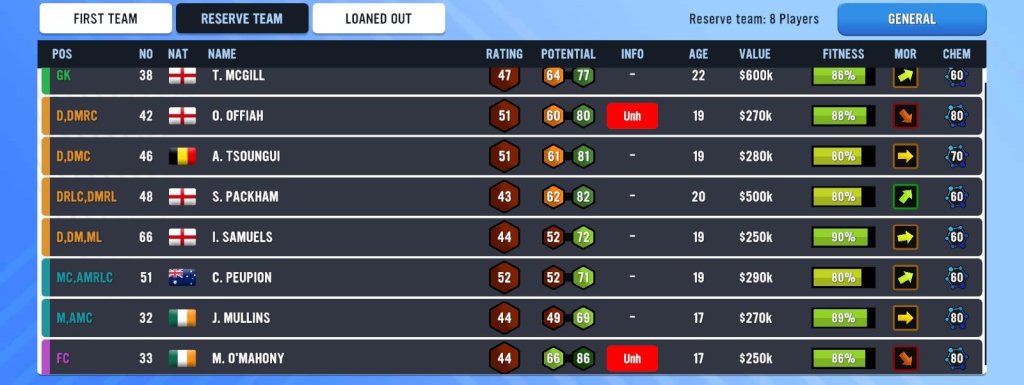
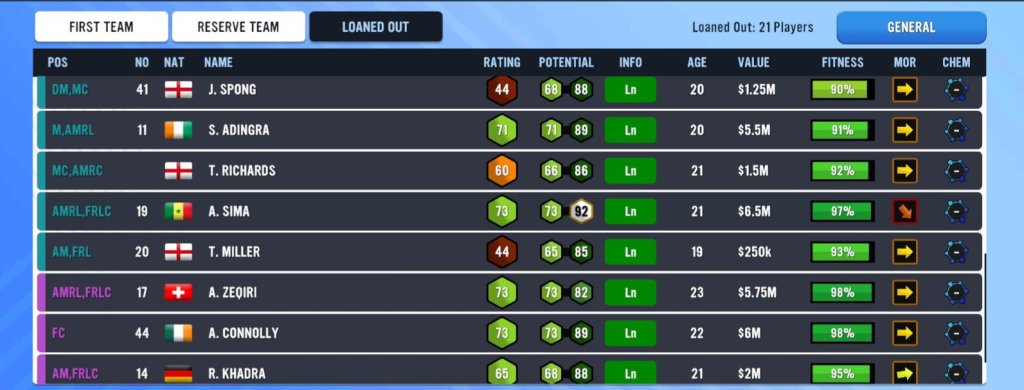
As we go through the page, we can locate things such as the position of each player, the kit number, nationality, player name, their rating, potential, info regarding each player (injuries, suspensions, concerns etc.), the age of each player, their value, their current fitness level, morale, and the amount of chemistry each player has with the rest of their teammates.

If we swipe right, we will then be brought to the ‘Reports page’ which is basically an overview of the entire squad that was created by different departments within the club such as your Assistant Manager, Head Physio, Sporting Director, Youth team Manager, and Financial Director. Some of the things you will see on this page are the average rating of the entire team, the top players within your team, and the pros and cons of your team, etc.

Now, we’ll swipe left twice in order to get to the ‘Stats’ area on the squad page which is where you can get an insight on who is performing their best for the team during the season. I personally believe this is very important and it’s something that can be used within Soccermanager Worlds since it ensures that you play the players who have been performing the best within the season (especially in those big matches).

We’ll end today’s blog with a brief overview of the reserve team and loaned out players. These two areas are where you will tend to have your youth players as well as any first team player who is not in contention for your 25 man squad.
Like I mentioned, EVERY SINGLE ASPECT on the Squad page will be discussed throughout the entirety of this week. Today was just about giving you a briefing into what you should expect.
With that being said, we’ll see you tomorrow. Have a great rest of your day, soccermanagerite! ✌️
 The Soccermanager Experience