
Welcome back to another episode of your favourite soccer blog. If you’re new here, welcome aboard! I highly advise that you go back in time and check out previous seasons where we explain the multiplayer game ‘Soccermanager worlds’ in great detail. If you’re a regular and have been around these parks for a while now, Waddup my G?! 😎👊
In today’s episode (as well as througout the entire season), we’ll be diving into every component that you can find within the single player mode game: SM23. First things first, we’ve gotta find out where we can download it:
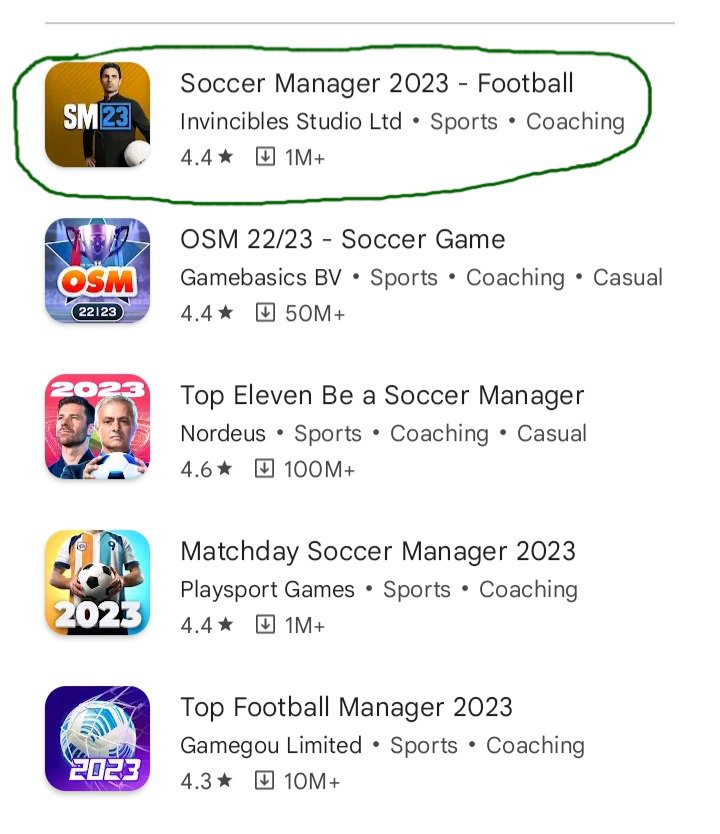
Bare with me lads, as I am currently using an android phone, so if you have an ios device it might look a bit different but it’s basicially the same download process.
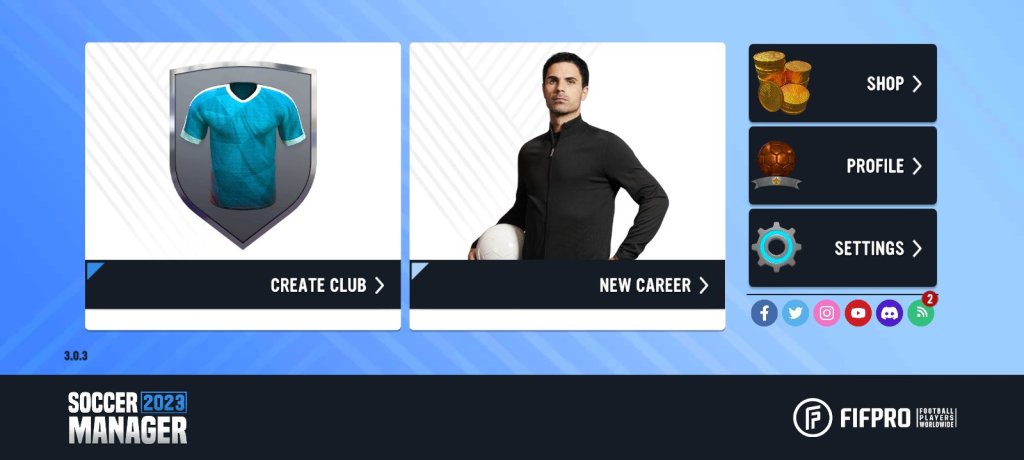
After you launch the app, you will be brought to the following screen below where you can choose a ‘New Career’ or ‘Create Club’. I might consider doing an entire season where we focus on creating a club and playing an entire season. But, for this season’s explanation, we’ll be focusing on using a team from real life soccer. Note that there is also these options to the right of the image to check out the ‘shop’ button (which is similar to the ‘cart’ within SM worlds), The ‘profile’ button where you get to check out your current managerial profile (note that if this is the first time you’re playing SM 23, you’ll be asked to choose your manager type. The three options will be a “tactical manager ,“suit manager” or “tracksuit manager”. I will go into more detail when we get to the manager episode”). Lastly, there is the ‘settings’ button where you’re able to make some changes such as turining the music and sfx (special effects) on or off, change the language or cuurency, leave a ratting of your experience playing this game in the app store and much more.
As the game loads,there will be a ‘choose a data pack’ option. Bascially, a data pack is a folder that contains the current squad lists in real life as well as updated player rating. These packs were created by real people who work for the soccermanager company (@Invincible Studios)

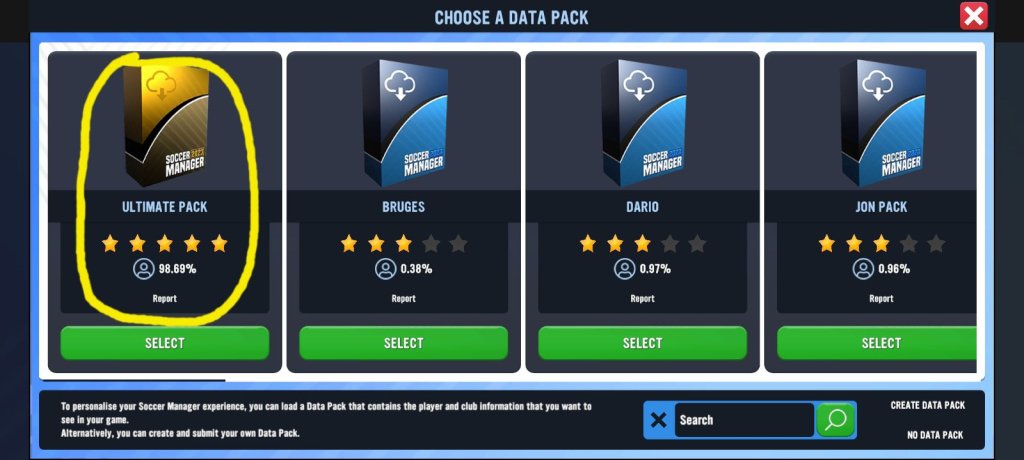
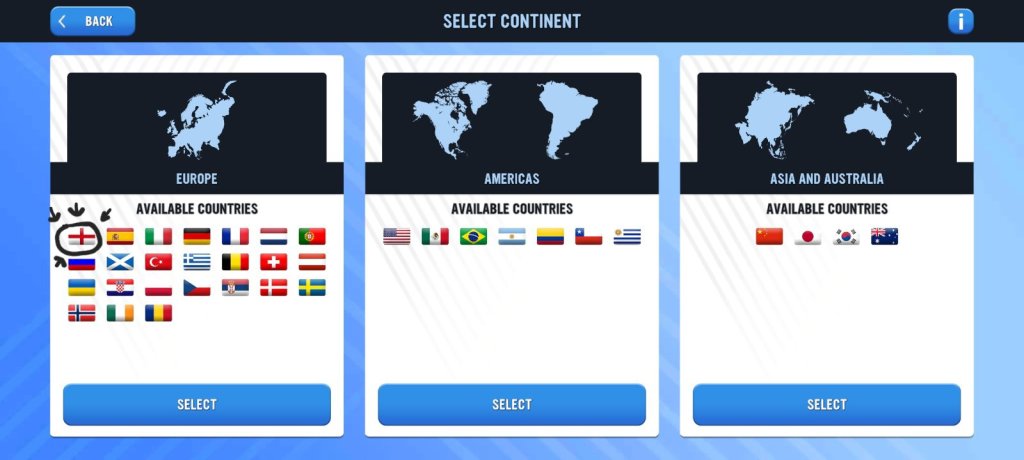
After selecting the ultimate pack, the next page will be to choose the continent where you want to manage. I’m a huge fan of English football so I’ll be choosing England
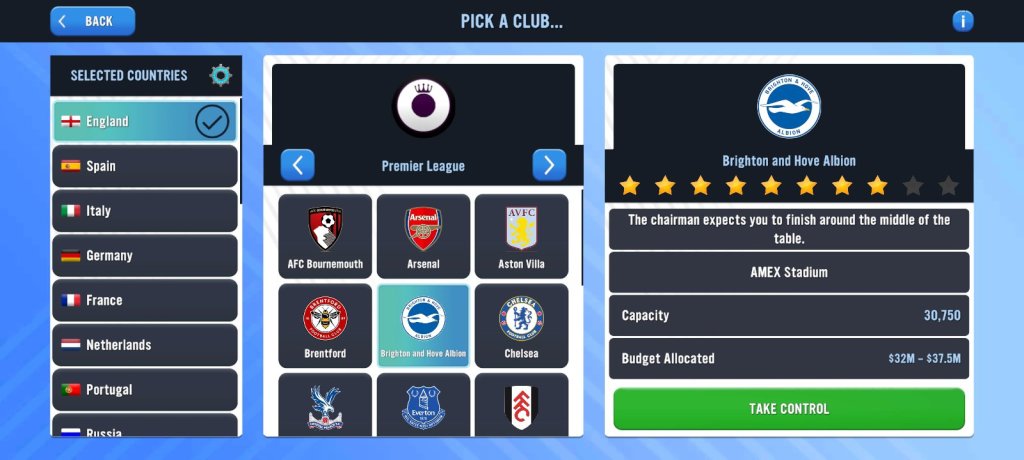
Now, on to the exciting prospect of choosing your team to manage! On this page, you’ll see the different options based on the division you decide to manage in. I have huge faith in my ability as a manager, so I will be going for the immediate challenge of managing a Premier League team. Now, I’m a big believer in not managing the top teams because there’s no real excitement or difficulty in that. So, I’ll be managing a mid to lower table team in the pursuit of getting them into Europe. And the team that chose issssuhhhhhh……. Brighton!
After saving your manager career mode, the game will begin its loading process of entering the home page area. Once you get unto the homepage (Overview) area, you’ll be greeted by a smiling Mikel Arteta who is explaning the page that you are on via a tutorial.
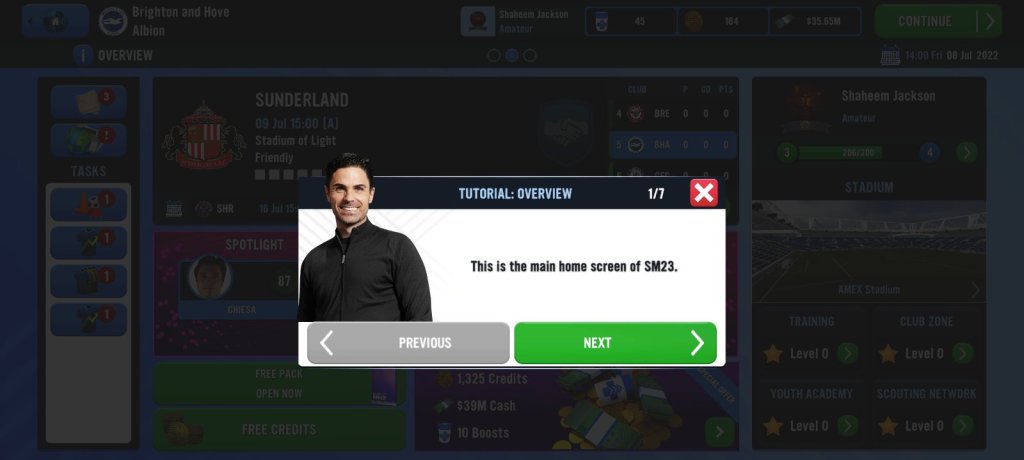
It’s up to you if you want to go through the tutorial or use my blogs as your guide for navigating this game.
We’ll end it here for now soccermanagerites. Long term readers already know that we value time over here, so I only seek to obtain less than 5 mins of yours so you can always digest these blogs no matter where you are or how busy your day gets. If you’re someone who absolutely loves reading and would prefer longer content, check out season 1 episodes since I’ve got some marathons over there 🏃💨
Tomorrow, we’ll be going over the overview page where you can find almost everything that you’ll need to play this amazing game. Speak to you in a bit. ✌️
 The Soccermanager Experience